

Manage users
Invite people to Curade Mini as an Admin, give them their role and environments, send a password reset or delete an account you manage.
On this page
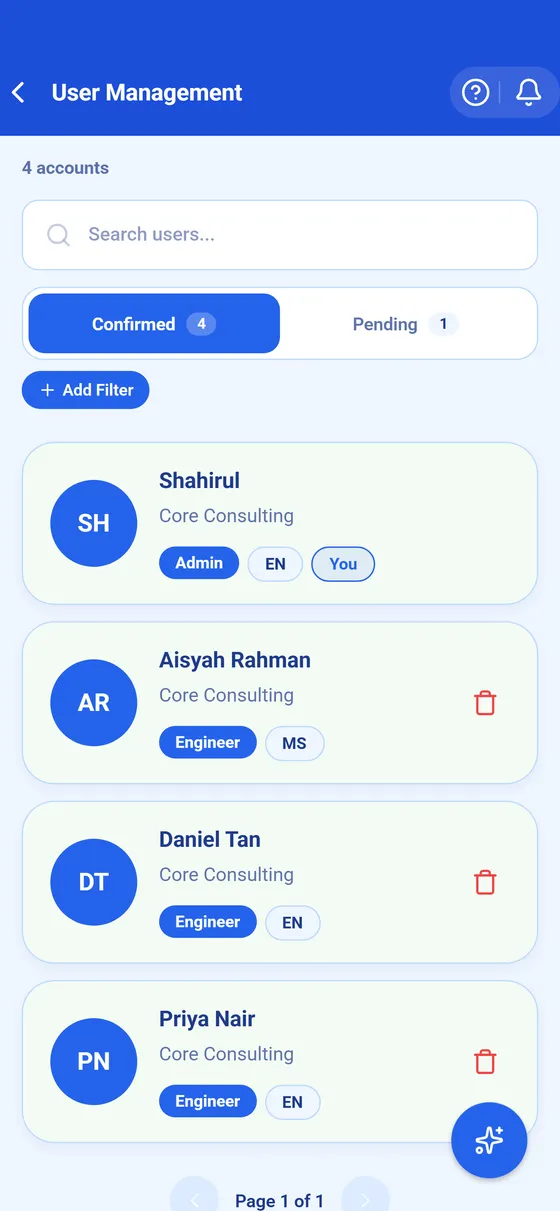
An Admin invites people into the environments assigned to them and looks after their accounts in User Management, in the console. Curade Mini has no public sign up, so every account starts here, and nobody types a password for anyone: the person gets an email with a code and sets their own.


Before you begin
- You are an Admin, and the environments the person needs are assigned to you.
- You have the person's email address, full name, company name and a username for them.
Steps
- Open Console from the drawer.
- Tap User Management.
- Tap the add control to open the invite form.
- Under User Information, fill in the email address, full name, company name and username. All four are required.
- Under Role, pick the role. An Admin grants the Engineer role only.
- Under Assigned Environments, tick the environments the person may open.
- Tap Create User.
Result
The person gets an invite email with a code, and appears on the Pending tab until they accept it and set their password (Get access). The code works once and lasts 24 hours. Once they finish, they move to Confirmed.
Other changes
- Tap a row under Confirmed to change the person's details, role or environments. The change reaches their app at once, even while it is open.
- Send Password Reset Email mails a reset code to someone locked out, since passwords are never shown or set in the console.
- Deleting an account with Delete user closes it at once and signs it out everywhere, and the daily deletion run removes it at least 24 hours later; until then, Undo deletion brings it back as it was. An Admin can delete only an Engineer whose environments all sit inside the Admin's own, and the app emails the person once the account is gone.
- Resend Invite on a pending card mails a new code and stops the old one, which is the fix for an expired code.
Removing someone from an environment is not a deletion: the account stays until it is deleted.
This page describes Curade Mini 1.0.0.